AI Article Assistant
Ask questions, summarize, or extract key takeaways from this article.
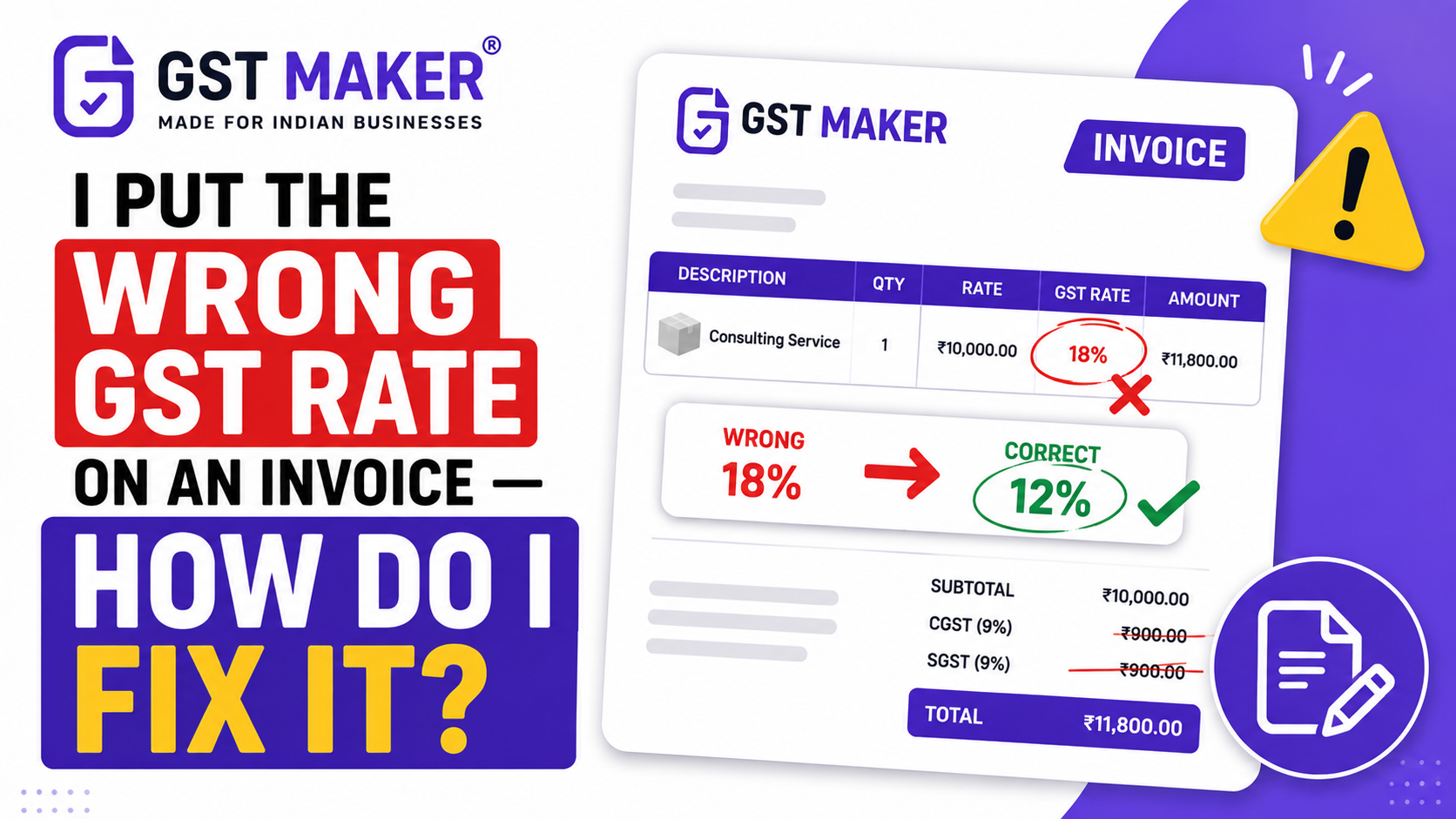
I Put the Wrong GST Rate on an Invoice — How Do I Fix It?
It starts with a message from your client.
"Hey — your invoice shows 18% GST but this service should be at 12%. Can you correct it?"
Or maybe you noticed it yourself. You filed GSTR-1, reviewed your invoices the next morning, and saw it — wrong rate. 18% where it should have been 12%. Or CGST + SGST where it should have been IGST.
Stomach drops. Same feeling as missing a deadline.
Here is the thing — GST invoice errors are more common than people admit. And they are fixable. But the way you fix them depends on exactly what went wrong and when you caught it.
Let me walk you through it clearly.
First — Understand What You Cannot Do
You cannot go back and edit a GST invoice once it has been issued and sent to a client. There is no "edit" button. The invoice exists as a legal document.
You cannot revise a GST return once it is filed — there is no edit button on a submitted GSTR-1 or GSTR-3B.
This surprises people. In most software, you just edit and resave. In GST — no. The original invoice stays. What you do instead is issue a correction document or file an amendment in the next return. The mechanism depends on your situation.
The Two Types of Errors — Different Fixes
Before you do anything, figure out which type of error you made.
Type 1 — Wrong GST rate or wrong taxable value You charged 18% instead of 12%. Or you invoiced ₹1,20,000 when the correct amount was ₹1,00,000. The money amount is wrong.
This requires a credit note (if you overcharged) or a debit note (if you undercharged).
Type 2 — Wrong GSTIN, wrong date, wrong invoice number, wrong address The amounts are correct but the details are wrong. Wrong customer GSTIN. Wrong place of supply. Invoice number out of sequence.
This requires a GSTR-1 amendment — a correction filed in the next month's return.
Different error. Different fix. Getting this confused makes things worse.
Scenario 1 — You Overcharged GST (Charged 18%, Should Be 12%)
This is the most common wrong-rate situation. And it has a specific problem — your client paid more than they should have, and they cannot claim full ITC on an incorrect invoice.
The fix: Issue a credit note.
Revising a GST invoice after it has been issued requires a Credit Note if the revised amount is lower or a Debit Note if the revised amount is higher. A GST invoice cannot be directly edited — you must issue a supplementary document.
Here is how the credit note works in this situation:
Say you charged ₹1,00,000 + 18% GST = ₹1,18,000. The correct rate is 12%, so the correct total is ₹1,12,000. The difference is ₹6,000.
Issue a credit note for ₹6,000 — the excess GST charged. The credit note references the original invoice number and explains the correction.
The supplier reports the credit note in GSTR-1 Table 9B for that month. The buyer reduces ITC by the relevant amount.
Your output tax liability reduces by ₹6,000. Your client's ITC adjusts accordingly. Both of you are now correct.
Scenario 2 — You Undercharged GST (Charged 12%, Should Be 18%)
This one is more uncomfortable. You have to go back to the client and tell them the invoice was wrong — and the correct amount is higher.
The fix: Issue a debit note.
A debit note increases the value of an original invoice. In this case, you issue a debit note for the additional 6% GST that should have been charged.
Most clients will pay the additional amount if you explain clearly what happened. Be straightforward — "There was an error in the GST rate on invoice INV-2026-047. The correct rate is 18% not 12%. I am issuing a debit note for the difference of ₹6,000."
The debit note is reported in your GSTR-1. Your output tax increases. You deposit the additional tax when filing GSTR-3B.
One more thing — if time has passed between the original invoice and the debit note, interest at 18% per annum may apply on the additional tax amount from the original invoice date. Check with your CA on the exact amount.
Scenario 3 — Wrong GSTIN or Place of Supply on Invoice (But Amount is Correct)
This one is cleaner to fix — no money changes hands, just a correction to the data.
For data errors like wrong GSTIN or wrong date, amend in GSTR-1. In GSTR-1, go to Table 9A — Amended B2B Invoices. Enter the original invoice details and the corrected values. The amendment flows to the recipient's GSTR-2B.
You do this in your next GSTR-1 filing — not the one for the month where the error occurred, but the following month's return. There is a specific amendment section for this.
There are three correction routes depending on what went wrong and when you caught it. GSTR-1A is the amendment form for the current tax period — it opens from your GSTR-1 due date and stays open until you file that period's GSTR-3B.
If you caught the error before filing GSTR-3B for that month — use GSTR-1A. Faster, cleaner.
If you have already filed GSTR-3B — use the amendment table in the next month's GSTR-1.
Scenario 4 — Charged CGST + SGST Instead of IGST (Or Vice Versa)
This is arguably the most impactful error because it directly blocks your client's ITC.
A client in Delhi cannot claim CGST + SGST charged by a Mumbai supplier. Their GSTR-2B will show the wrong tax type and the ITC claim will fail. They will call you. It will be awkward.
The fix depends on what has already happened.
If GSTR-1 not yet filed: Correct the invoice in your system before filing. File the correct version.
If GSTR-1 already filed: You need to amend the invoice in the next month's GSTR-1 — specifically in the amendment tables. The correct tax type must be reflected. Issue a credit note for the wrong tax charged and a debit note or revised invoice for the correct tax type.
This is one of those situations where your CA needs to be involved. The amendment needs to be precise — wrong entry in the amendment table creates more problems than the original error.
The Deadline — Do Not Miss This
There is a time limit for all of this.
The time limit for amendment in GSTR-1 is up to November 30 of the following financial year, or before filing the annual return — whichever comes first.
So if you made an error in March 2026, you have until November 30, 2026, to fix it through amendment or credit/debit note.
For FY 2025-26 invoices, the deadline is October 31, 2026.
After this window — the error stays. You cannot amend. The original wrong invoice remains in the system permanently.
This is why catching errors early matters. The sooner you fix it, the cleaner the correction.
If You Have an E-Invoice with an IRN — Extra Step
If there is a mistake in an e-invoice, it cannot be edited or corrected. The only option is to cancel that invoice and IRN and upload a new invoice with a new number and generate a fresh IRN.
But — IRN cancellation is only allowed within 24 hours of generation. After 24 hours, you cannot cancel the IRN. You then need to use the credit/debit note route.
If you are above the ₹5 crore e-invoicing threshold and you caught the error within 24 hours — cancel the IRN immediately and generate a new one with the correct details.
If you missed the 24-hour window — credit note or debit note, same as everyone else.
The Real Reason These Errors Keep Happening
Most wrong GST rate errors come from one of three places.
Manual rate selection every time. When you are choosing the GST rate from a dropdown on every invoice, you will occasionally pick the wrong one. Especially when you have products or services at multiple rates.
Copying last month's invoice. You take last month's invoice, change the date and amount, and send it. If last month's invoice had the wrong rate — this month's does too.
Not knowing the correct rate. Some products and services have non-obvious GST rates. Garments below ₹1,000 are 5%, above ₹1,000 are 12%. Construction work is 12% for residential, 18% for commercial. These are easy to get wrong if you are not sure.
The first two problems are solved by a billing system that saves your services and products with the correct rates — so you never select manually and never copy from old invoices. The third problem is solved by looking up rates carefully once and saving them correctly.
In GST Maker, your services and products are saved with their GST rates. When you add them to an invoice, the rate applies automatically. No manual selection. No copying. No guessing.
Quick Decision Guide
| What Went Wrong | GSTR-1 Filed? | Fix |
|---|---|---|
| Overcharged GST rate | Yes or No | Issue a Credit Note |
| Undercharged GST rate | Yes or No | Issue a Debit Note |
| Wrong GSTIN or date | Not yet | Correct before filing |
| Wrong GSTIN or date | Yes | Amend in next GSTR-1 (Table 9A) |
| Wrong tax type (CGST vs IGST) | Not yet | Correct before filing |
| Wrong tax type (CGST vs IGST) | Yes | Credit note + amend in next GSTR-1 |
| E-invoice error within 24 hours | — | Cancel IRN, generate new invoice |
| E-invoice error after 24 hours | — | Credit note or debit note |
One last thing.
Fix the error. Then fix the system that caused it. An error caught and corrected is fine. The same error recurring every few months is a billing process problem that will eventually cost you a client relationship or a compliance notice.
The right billing setup saves you from most of these situations in the first place.
👉 GST Maker auto-applies correct rates and tax types — free at gstmaker.com
Set up once. The rate is always right after that.