AI Article Assistant
Ask questions, summarize, or extract key takeaways from this article.
How to Send GST Invoice on WhatsApp in India — The Fast Way With GST Maker
In India, WhatsApp isn't just a messaging app. It's how business actually gets done.
Clients send requirements over WhatsApp. Work gets delivered and updated over WhatsApp. Payment reminders go out on WhatsApp. And when a client asks for an invoice, that request lands on WhatsApp too.
So why are so many business owners still downloading a PDF, saving it to their phone, switching back to WhatsApp, digging through the chat, and attaching a file — just to send one invoice?
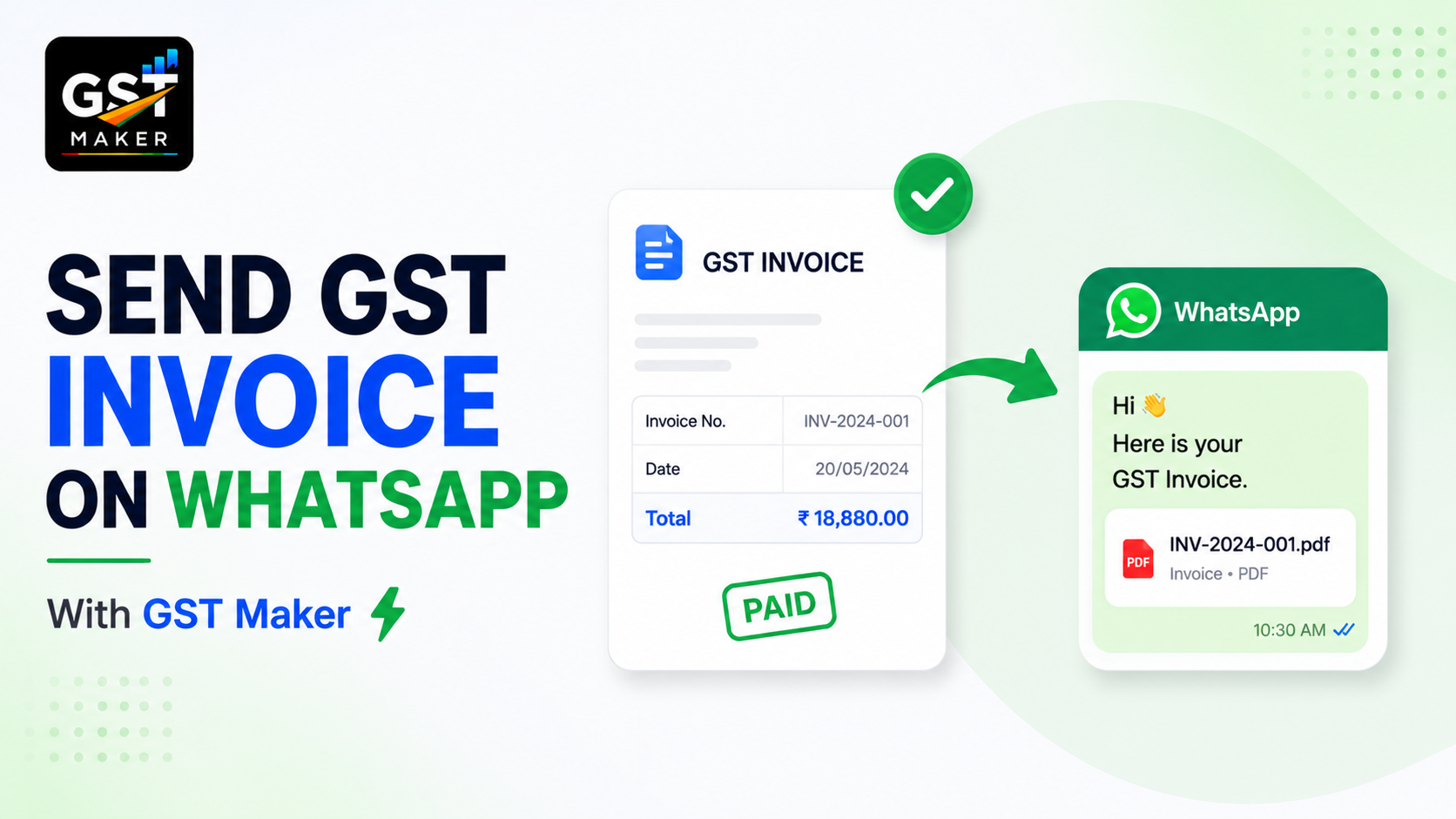
There's a faster way. With GST Maker, a professional GST-compliant invoice goes out on WhatsApp in under 10 seconds — no PDF download, no attachment, no app-switching.
Here's exactly how it works and why it's worth setting up today.
What the old way actually costs you
Most small businesses still share invoices as WhatsApp PDF attachments, which usually means creating the invoice, exporting or saving it as a PDF, opening the phone's file manager, finding the right file among a dozen other PDFs, opening WhatsApp, finding the right chat, tapping the attachment icon, navigating back to the PDF, and finally sending.
That's nine steps for one invoice. Send 15 a month, and you're doing this 135 times a month — over 1,600 times a year.
There's a second problem too — PDF attachments genuinely get lost in a chat. Scrolled past, buried under other messages, and then "I never received it," which means finding and resending the same file all over again.
The share link removes all of this.
How it actually works
Every invoice, quotation, or proforma you create in GST Maker comes with an automatically generated public share link. It opens a clean, fully branded invoice straight in a browser, on any phone, with nothing to log into or download.
The whole process: create the invoice (under 60 seconds with AI Magic Fill), tap Share to generate the link, then copy it into WhatsApp and send.
Three steps, and the last one takes about 5 seconds. Your client taps the link and sees a proper invoice load instantly — no app, no login, nothing to save and hunt for later.
What actually shows up when they open it
Your business name and logo, GSTIN and address, invoice number and date, their business name and GSTIN, an itemized list with HSN/SAC codes, the correct GST breakup for their state, the total payable, your bank details for payment, and a Download PDF button if they want a copy for their own records.
Everything they need to actually pay you, visible the moment the page loads.
A freelance web developer in Hyderabad
Siddharth has 8 active clients, billed on project completion or monthly, with almost all client communication — briefs, feedback, approvals, payments — happening entirely over WhatsApp.
He used to download a PDF on his laptop, move it to his phone through Google Drive, and then attach it in WhatsApp — 8-10 minutes per invoice, and it frequently ended in "I didn't receive it."
Now the invoice gets created on his phone or laptop in under 60 seconds, the share link's copied with one tap, and pasted straight into the client's chat. His payment turnaround dropped from 5-7 days down to 1-2 — mostly because the invoice is easier to open and his bank details are sitting right there on the page.
A plumber in Jaipur
Manoj does residential and commercial plumbing work and is GST registered, needing proper bills for commercial clients — hotels, offices, housing societies.
He used to write bills by hand or get someone to type them in Word, then either print and hand them over in person or photograph and send a blurry image on WhatsApp — which hotels, understandably, wouldn't accept as a proper GST invoice.
Now he creates a compliant invoice on his phone at the job site in about 2 minutes, copies the link, and sends it to the facilities manager before he's even left the property. Their accounts team opens it, downloads a PDF if they need one, and processes payment from there.
He's gone from losing corporate contracts over bad billing to actually winning repeat work from hotels and offices, purely because his invoicing looks and functions like it belongs to a real business now.
A garment shop owner in Delhi
Pooja supplies retailers across Delhi, UP, and Rajasthan, with almost the entire relationship — orders, confirmations, bills — running through WhatsApp.
Her old process ran through Tally on her office desktop, which meant she couldn't create or send an invoice from the warehouse or a trade fair, only from her desk.
Now she creates invoices from her phone anywhere — warehouse, trade fair, home — with the share link going straight to WhatsApp. Delhi retailers get CGST+SGST automatically, UP and Rajasthan retailers get IGST automatically, and there's no desktop dependency left in the process at all.
Her billing is now as mobile as her actual business, which for someone dealing across three states was exactly the missing piece.
Why a link genuinely beats a PDF attachment
It's always accessible — open it any time, on any device, and if a client loses track of it, they just tap the same link again in the chat.
There's no file management on their end — nothing to save, organize, or search through, since the invoice just lives at its link.
It looks sharper on mobile too — a properly rendered page in a browser reads cleaner than a PDF forced open in some document viewer.
It's genuinely faster to send — copy, paste, done, no folder-digging or attaching involved.
Bank details are visible immediately, without a client needing to open a separate file just to find your account number.
And it's easier for a client to forward internally — sharing a link to their accounts team is simpler than forwarding a PDF file around.
Works across every document type
This isn't just for tax invoices — quotations get shared the same way before a project's confirmed, and proforma invoices go out identically when it's time to collect an advance. Whatever stage you're at with a client — quote, advance, or final bill — the process is the same: one link, one tap, sent.
Setting this up, start to finish
Sign up free at gstmaker.com, no card needed. Add your business details — name, GSTIN, address, logo, bank account — this is what appears on every invoice going forward. Add your first client — name, GSTIN if registered, and state. Add your first product or service — name, HSN/SAC code, price, GST rate. Then create your first invoice, tap Share, copy the link, and send it on WhatsApp.
That's it — your first professional invoice on a client's phone in under 6 minutes from the moment you signed up.
Questions people usually ask
Does the client need to log in or download anything? No — the link opens a clean invoice directly in their browser, no account or app needed on their end.
Is the link secure? Yes, each one is unique to that invoice — only someone with the exact link can view it, and nothing's publicly indexed.
Does it work on WhatsApp Business too? Yes, works identically on both regular WhatsApp and WhatsApp Business.
Does the invoice show my bank details? Yes, your saved account details appear directly on it, so a client can pay without asking separately.
Can the client download a PDF from the link? Yes, a Download PDF button sits right on the page if they need a copy.
Does it calculate CGST/IGST correctly for these too? Yes, the same AI Magic Fill applies regardless of whether you're creating the invoice on your phone or laptop.
Is this feature free? Yes, every invoice comes with a shareable link at no extra cost, part of the free plan.
Bill your clients where they already are
WhatsApp is where your clients live. Your invoices should be there too — not buried as attachments, but as a clean link that opens instantly and makes paying you as easy as possible.
👉 Try GST Maker free at gstmaker.com
No credit card. No setup fees. Send your first WhatsApp invoice in under 6 minutes.