AI Article Assistant
Ask questions, summarize, or extract key takeaways from this article.
GST Invoice Maker Free — Create Professional GST Bills in Minutes
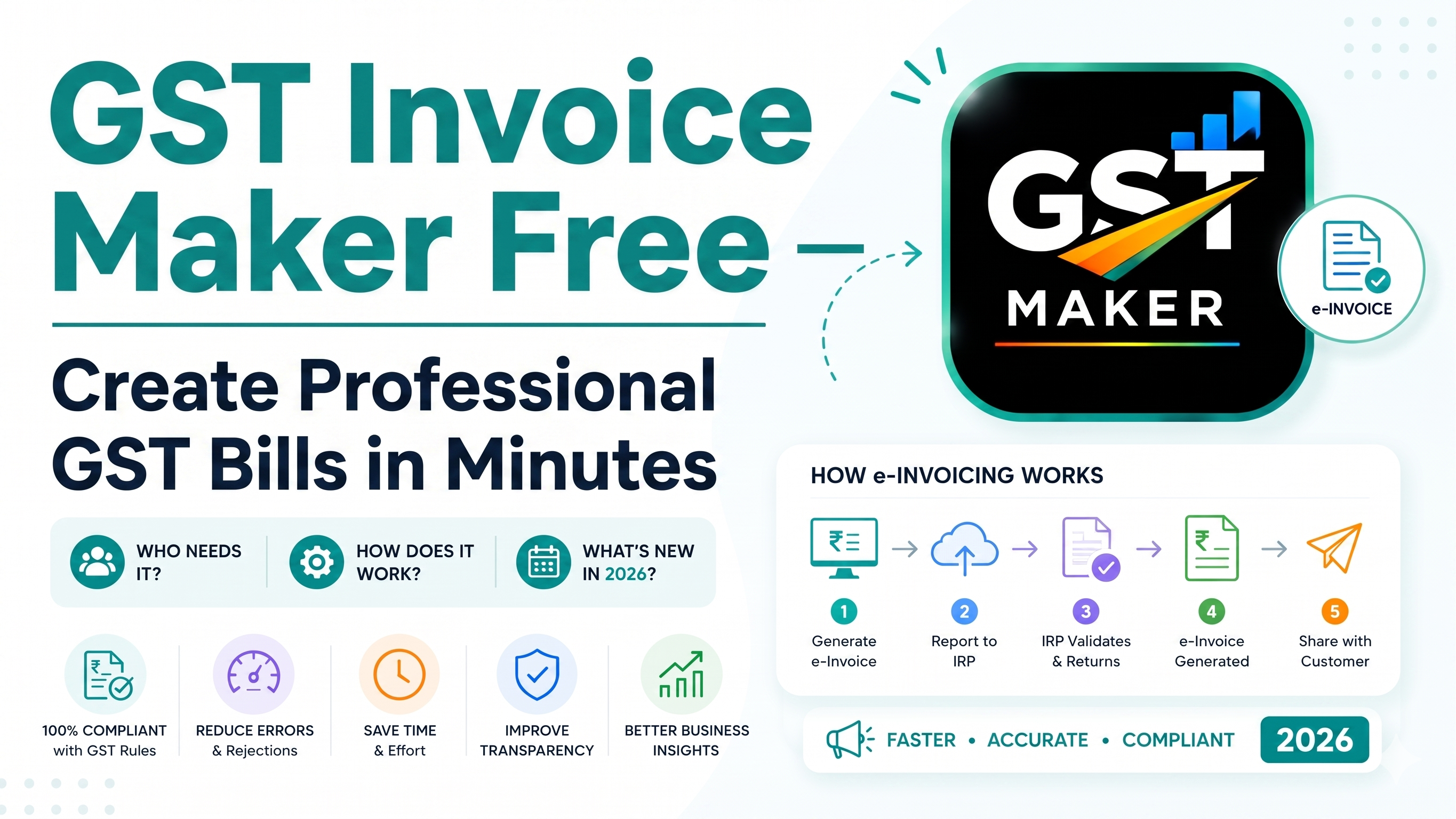
If you run a small business, a shop, or freelance in India, billing is something you deal with almost daily. And if you're GST registered, every single bill needs to be a proper GST invoice — right format, correct tax math, every mandatory field filled in.
Most people end up stuck between three bad options — wrestling with complicated software, paying for a plan built for a much bigger business than theirs, or just making invoices by hand in Word or Excel and hoping nothing's wrong.
What if you could make a proper GST invoice in under a minute, for free?
That's the whole reason GST Maker exists.
What is a GST invoice maker, really?
It's an online tool that lets you create GST-compliant invoices fast, without needing any accounting background. You put in your details, add the customer and what you're selling, and it spits out a ready-to-send PDF with everything the GST Act actually requires — GSTIN, HSN/SAC code, CGST/SGST/IGST, invoice number, all of it.
GST Maker is one of the better free options out there right now, built specifically with Indian small businesses, freelancers, and shop owners in mind — not adapted from some enterprise product.
Why GST billing trips people up so often
Manual invoicing in Excel or Word is slow and easy to get wrong. You're remembering every field, calculating GST by hand, formatting from scratch — one wrong number and the whole invoice is technically invalid.
Most paid software, meanwhile, is built for businesses with an actual accounting team behind them. Monthly fees, training required, dozens of features you'll genuinely never touch.
And a lot of the "free" tools floating around online haven't been updated for current GST rules, use the wrong format, or spit out PDFs that look like they were made in 2009.
GST Maker was built to fix all three of these at once.
How it actually works, start to finish
Sign up free at gstmaker.com — no credit card, takes under a minute.
Set up your profile once — business name, GSTIN, address, logo. It auto-fills on every invoice after that. You genuinely never retype it.
Add your customer — name, GSTIN if they're registered, address. Save them, and next time it's just a dropdown selection.
Add what you're billing for — name, HSN/SAC code, quantity, price, GST rate. Save these too, and repeat items are one click away.
Hit generate. From here, GST Maker figures out whether the customer's in the same state or a different one, applies CGST+SGST or IGST accordingly, does the tax math, assigns the next invoice number in sequence, and puts together a clean PDF.
Share it or download it. Grab the PDF, or use the public share link — copy it, send it on WhatsApp or email, and your customer opens it instantly with no login required.
Under 60 seconds once your details are already saved.
A real example — a freelance designer's invoice
Say Priya is a freelance graphic designer based in Delhi, billing a client in Bangalore.
She's charging ₹25,000 for a logo design at 18% GST. Since her client's in a different state, GST Maker applies IGST at 18% automatically — ₹4,500 — bringing the total to ₹29,500.
The invoice ends up with her GSTIN and address, the client's GSTIN, the SAC code for design services (998392), an auto-generated invoice number, a clear IGST breakup, and her logo on a clean layout.
Her client claims ₹4,500 back as ITC, she files it in her GSTR-1 at month-end, and the whole thing took her under a minute to make.
Another one — a shop owner's invoice
Ramesh runs a stationery shop in Mumbai, selling to a school in Pune — same state, both in Maharashtra.
His order is ₹10,000 worth of notebooks and pens at 12% GST. Since it's intrastate, GST Maker splits it into CGST 6% + SGST 6% — ₹600 each, ₹1,200 total — for a final invoice of ₹11,200.
He downloads the PDF, saves it to his phone, and sends it over WhatsApp. 45 seconds, done.
What actually sets it apart from other free tools
The GST-type detection is automatic — same state or different, CGST/SGST or IGST, it figures it out so you don't have to think about it.
It stays current with GST rule changes, which matters more than people realize, since a lot of free tools quietly go stale.
The PDFs actually look professional — logo, clean layout, every mandatory field in place.
The share link means you're not stuck downloading and reattaching a file every time — copy, send, done.
And it remembers everything — customers, products, business details — so repeat invoices genuinely take seconds, not minutes.
The free plan isn't a stripped-down teaser either. Invoices, PDFs, share links, customer and product management — all included, no cost.
Who this is actually built for
Freelancers — designers, developers, writers, marketers, consultants. Shop owners running retail, wholesale, or trading. Small agencies in digital marketing, web dev, creative work. Contractors and service folks — electricians, plumbers, painters, IT support. Tutors and trainers. And anyone just starting a business who needs simple, free billing without the learning curve.
If you're a small business in India sending GST invoices, this was built with you in mind, not as an afterthought.
A few questions people usually ask
Is it actually free? Yes — invoices, PDFs, share links, customer and product management, all free, no credit card needed to sign up.
Do I need to know accounting to use it? No. You fill in your details and what you're selling — the GST math happens automatically behind the scenes.
Does it handle CGST/SGST/IGST on its own? Yes, based on whether your customer's in the same state or not. You don't need to know the rule yourself.
Can I use it if I'm not GST registered? Yes — you'll just get plain invoices with no GST lines. Register later, add your GSTIN to your profile, and everything shifts to GST-compliant automatically.
How do I actually send invoices? Copy the public share link and send it via WhatsApp, email, or SMS — opens on any device, no login needed on their end.
Is the format actually valid under GST law? Yes — all the mandatory fields are there: GSTIN, invoice number, date, HSN/SAC code, tax breakup.
Can I add my logo? Yes, upload it once during setup and it shows up on every invoice after.
How do I start? Go to gstmaker.com, sign up, and make your first invoice. Setup takes under 5 minutes.
Worth trying today
No expensive software, no accountant needed to set it up, no hours of training required.
It's free, it's quick, and it's already being used by a lot of freelancers, shop owners, and small businesses across the country trying to keep their billing simple.
👉 Create your free GST invoice at gstmaker.com
No credit card. No complicated setup. Just sign up and start billing.