AI Article Assistant
Ask questions, summarize, or extract key takeaways from this article.
GST Invoice App for Freelancers India — The Smartest Free Billing Tool in 2026
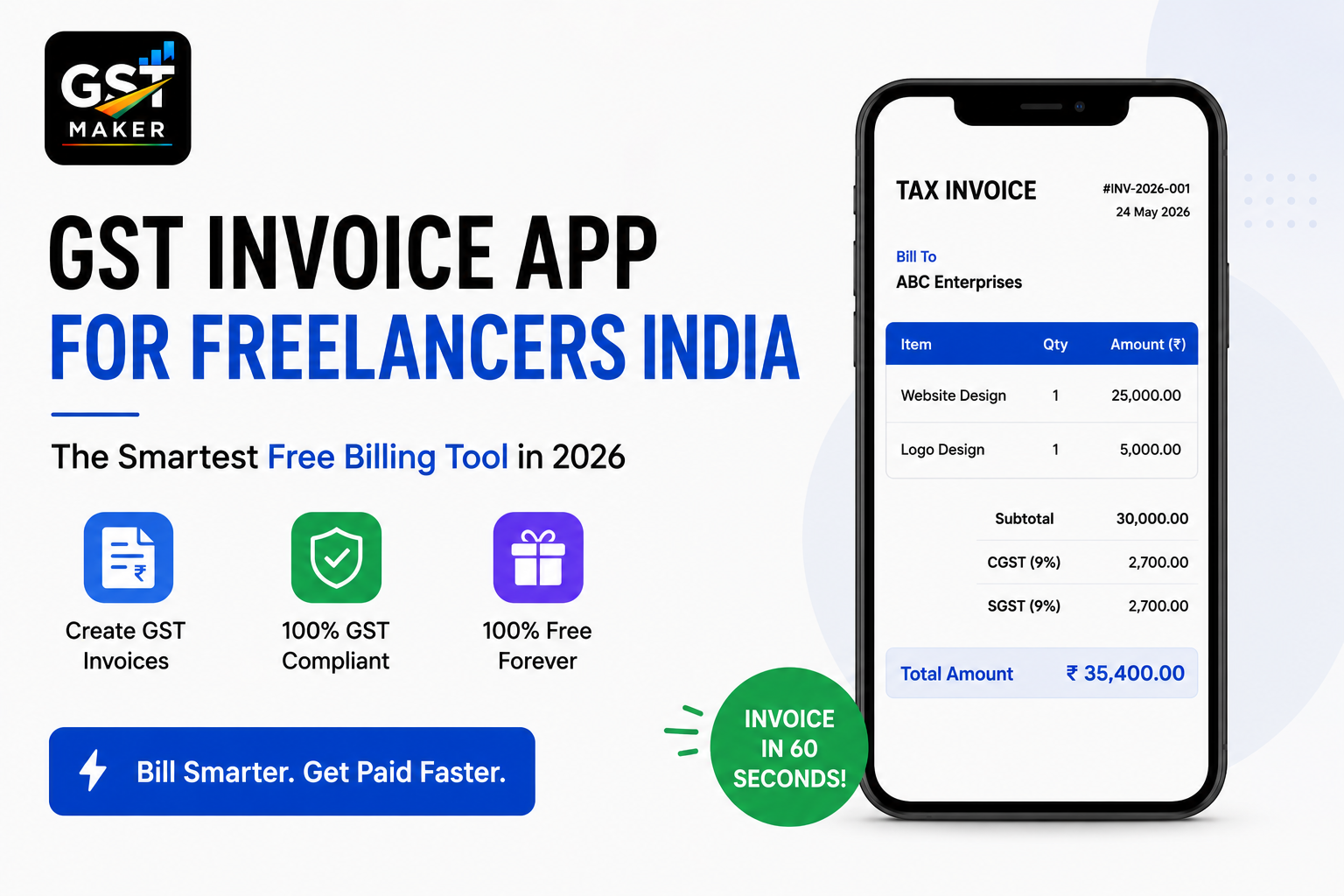
Freelancing in India has never been bigger. Developers, designers, writers, marketers, video editors, consultants — lakhs of people are working independently now, building their own client base and earning well doing it.
Billing, though, is still stuck in the past for most of them. WhatsApp photos of handwritten bills. Some Excel template someone shared years ago. No GSTIN on the invoice. Wrong SAC codes. No real numbering system.
It works fine — right up until a client asks for a proper GST invoice, or return filing season rolls around and you're scrambling for old records, or a bigger corporate client just refuses to pay without a compliant tax invoice in hand.
GST Maker is the free, AI-powered GST invoicing tool built specifically with Indian freelancers in mind. Here's why it's genuinely the smarter billing choice going into 2026.
The specific problem freelancers deal with
Generic invoicing tools don't really solve the situation freelancers actually face.
Clients scattered across states, for one. A freelancer in Pune might bill people in Delhi, Bangalore, Hyderabad, and Chennai — four different states, each needing a different GST type. IGST out of state, CGST+SGST within state. Get it wrong, and your client can't claim ITC, and they'll be back asking you to fix it.
Then there's the SAC code maze — every freelance service has its own code, and web development, graphic design, and content writing are all different. Use the wrong one, and the invoice isn't compliant.
There's also just no time for admin. Freelancers get paid for doing the work, not managing paperwork — every minute on billing is a minute not spent on something that actually pays.
And there's the professionalism angle. Pitching a startup or a mid-sized company, a clean invoice signals credibility. A WhatsApp photo of a handwritten bill signals the opposite.
GST Maker was built around exactly these problems.
How it actually works for a freelancer
Set up in about 4 minutes. Sign up, add your business name, GSTIN, address, logo. Done — it auto-fills every invoice from here on.
Save your clients once. Name, GSTIN, address — after that, picking a client is a one-click dropdown, no retyping ever again.
Save your services with SAC codes attached. Web development, design, content writing, whatever you do — set the correct SAC code and your standard rate once, and adding it to an invoice is one click after that.
Let AI Magic Fill handle the GST part. The moment you pick a client, it reads their state — same state, CGST+SGST applied automatically; different state, IGST applied automatically; 18% calculated instantly. No decisions, no room for mistakes.
Share it on WhatsApp. No downloading a PDF and attaching it separately — every invoice gets a public share link. Copy, paste into WhatsApp, and your client's viewing a clean, professional invoice on their phone in seconds, no app needed on their end.
SAC codes for the most common freelance services
The SAC code lookup is genuinely one of the more annoying parts of this whole process, so here's a quick reference:
| Freelance Service | SAC Code |
|---|---|
| Web development / software development | 998314 |
| Mobile app development | 998314 |
| Graphic design / logo design | 998392 |
| UI/UX design | 998392 |
| Content writing / copywriting | 998313 |
| SEO / digital marketing | 998361 |
| Social media management | 998361 |
| Video editing / production | 999612 |
| Photography | 999612 |
| Management consulting | 998311 |
| Financial consulting | 998151 |
| Legal services | 998211 |
| Online tutoring / coaching | 999293 |
| HR / recruitment consulting | 998512 |
Honestly, you don't need to memorize this — AI Magic Fill suggests the right code as you type your service name.
A real example — a developer in Bengaluru
Vikram is a full-stack developer in Bengaluru, working with 6 clients — 2 local, 1 in Mumbai, 1 in Delhi, 1 in Hyderabad, and 1 in Singapore.
For the two Bengaluru clients, it's CGST 9% + SGST 9%, applied automatically since it's the same state. For Mumbai, Delhi, and Hyderabad, it's IGST 18%, since those are different states. For the Singapore client, GST Maker marks it as an export invoice at 0% GST, since services exported outside India are zero-rated.
Vikram never actually has to think about which type applies where — he selects the client, and the rest happens on its own. All 6 invoices, correct and ready, in minutes.
Another example — a content writer in Delhi
Prachi writes blogs, website copy, and email sequences for 8-10 clients a month, and earns above ₹20 lakh a year, so she's GST registered.
Before GST Maker, her Sunday evenings went to making invoices in Word — 2-3 hours a month spent looking up SAC codes, calculating GST by hand, formatting PDFs, and emailing each one individually.
Now her entire month's invoicing takes about 25 minutes total — each invoice under 2 minutes, shared straight over WhatsApp. Her clients have actually commented on how professional the invoices look. And by month-end, her GSTR-1 data is already sitting there ready, so filing takes a fraction of the time it used to.
And one more — a designer who isn't registered yet
Ananya is a UI/UX designer in Pune earning around ₹12 lakh a year, comfortably under the ₹20 lakh threshold, so she doesn't need GST registration.
She still uses GST Maker for regular invoices, no GST lines involved — clean, numbered properly, and professional-looking regardless. When her income eventually crosses ₹20 lakh, she'll just add her GSTIN to her profile, and every invoice from that point becomes GST-compliant automatically. No switching tools, no learning anything new.
Features freelancers actually end up using
Tax invoices that are fully compliant — GSTIN, SAC code, tax breakup, proper sequential numbering, everything a registered freelancer needs in one place.
Proforma invoices for when a client wants to see billing details before final approval, and quotations you can send before the scope's even confirmed — convert either to a real invoice in one click once the work's locked in.
Recurring invoices for monthly retainer clients — set it up once, and it auto-generates every month with zero manual work.
An expense tracker for software subscriptions, equipment, coworking space, internet — all of which count toward ITC if you're registered.
Client management that keeps everyone's GSTIN, address, and invoice history in one place, so finding any past invoice takes seconds, not a search through old emails.
GST reporting that gives you a GSTR-1 ready report every month, with no manual compilation needed.
And the public share link, which is honestly the feature freelancers seem to actually notice and mention — share on WhatsApp or email, your client views it on their phone with no account or app required.
What this actually costs a freelancer
Nothing. The free plan covers tax invoices, proforma invoices, quotations, recurring invoices, expense tracking, client management, GST reporting, AI Magic Fill, and public share links.
No credit card, no trial clock, no surprise upgrade prompt halfway through.
Actually free — not "free" with an asterisk.
Questions people usually ask
Do I need to be GST registered to use this as a freelancer? No — you can use it for regular invoices without registration. Once registered, just add your GSTIN to your profile and everything shifts to GST-compliant automatically.
Which SAC code should I use? Depends on your service — AI Magic Fill suggests it as you type. Common ones are 998314 for web/software development, 998392 for design, 998313 for content writing, 998361 for digital marketing.
How does it handle foreign clients? Exported services are zero-rated under GST — GST Maker marks these correctly at 0% with the export details required. You do still need to be registered for this.
Can I actually send invoices on WhatsApp? Yes — every invoice comes with a public share link. Copy, paste into WhatsApp, done, no app or login needed on their end.
What if I have both registered and unregistered clients? GST Maker handles both — proper tax invoices with GSTIN for registered B2B clients, and clean invoices without the GSTIN requirement for unregistered B2C ones.
Is recurring invoicing actually free? Yes, part of the free plan — set it up once for retainer clients and it generates itself monthly.
How does this help with GSTR-1 filing? Every invoice you create gets stored and organized automatically, so by month-end you can just export a GSTR-1 ready report instead of compiling everything manually.
The smart move here
You put real effort into the actual work you deliver. Your invoicing should look just as sharp — professional, accurate, compliant, and fast to put together.
GST Maker gives you all of that for free, built specifically for how Indian freelancers actually work, and ready in under 5 minutes.
No credit card. No complicated setup. Your first professional invoice, ready in 60 seconds.