AI Article Assistant
Ask questions, summarize, or extract key takeaways from this article.
GST Billing App for Contractors India — Free, Simple and AI-Powered
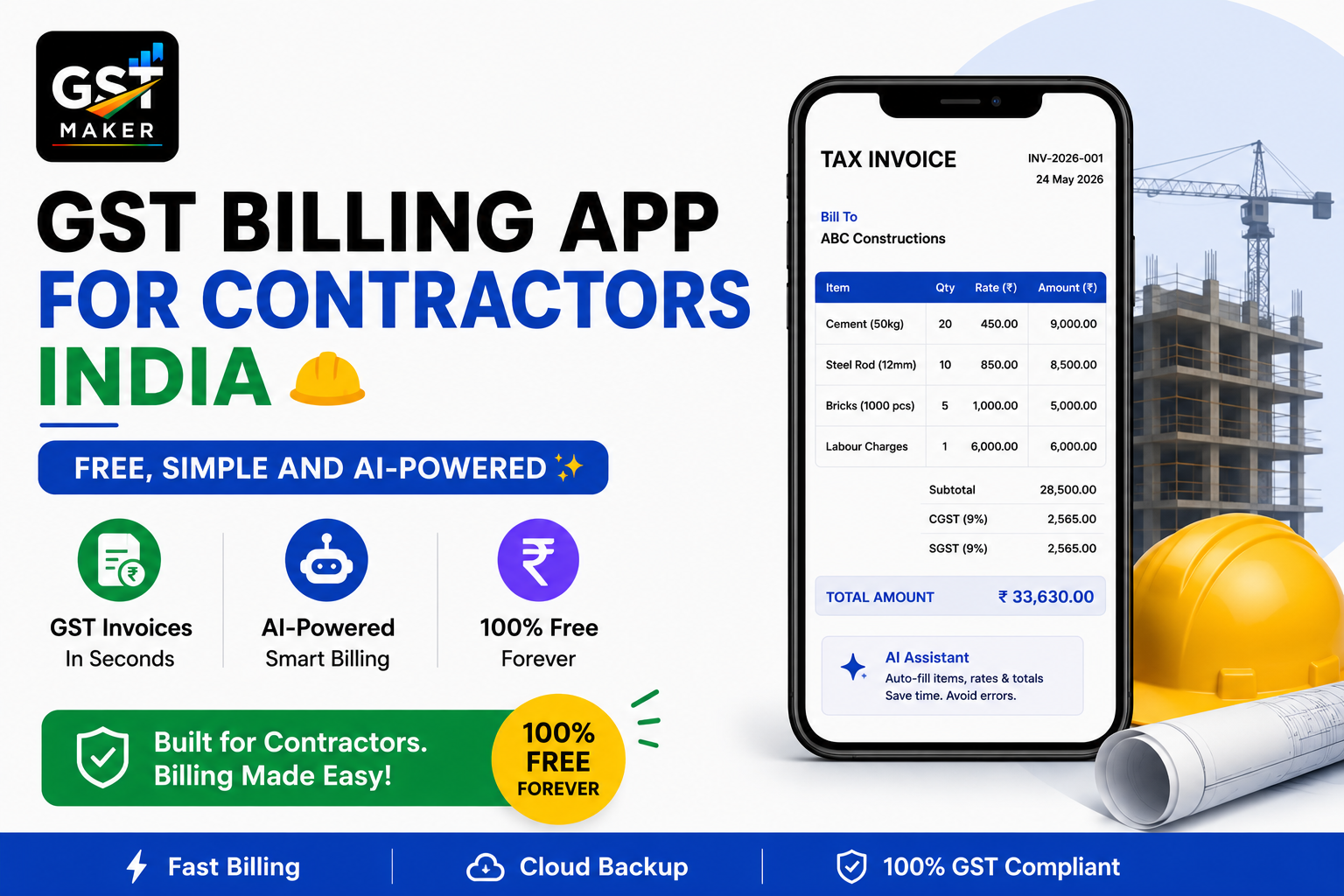
If you're a contractor in India — civil construction, electrical, plumbing, interior design, IT services, whatever the trade — GST billing is something you're dealing with on every single project.
And for most contractors, it's also the single most confusing part of running the business.
Which SAC code actually applies to your work? Do materials and labour get taxed separately? What happens the moment your client's project sits in a different state? How do you even bill an advance payment properly?
Here's all of that answered, and how GST Maker makes contractor billing fast, accurate, and free.
Why contractor billing is genuinely harder than most GST
Contractors deal with something most product sellers or pure service providers don't — a mix of goods and labour, payments spread across stages, and projects that stretch on for weeks or months.
There's the mixed supply problem first — a civil contractor is supplying cement, steel, and tiles alongside labour, and getting the GST treatment right on that combination isn't obvious at all.
Then there's the "works contract" category, which GST treats specially for construction-type work, with its own SAC codes and rates — and a lot of contractors don't even know this category exists, so they default to a generic SAC code and end up non-compliant without realizing it.
Milestone billing adds another layer — 30% advance, 40% on structure completion, 30% on handover, each stage needing its own correctly formatted invoice.
Then multi-state clients — an electrical contractor in Delhi might have a project in Noida or Gurugram, and each one changes the GST treatment.
And on top of all that, sub-contractor relationships bring their own GST wrinkles when part of the work gets passed downstream.
GST Maker turns all of this into a guided process any contractor can run through without needing an accounting background.
SAC codes by contractor type
This is usually the most confusing single piece, so here's a working reference:
| Type of Contractor | SAC Code | GST Rate |
|---|---|---|
| Civil construction — new residential building | 995411 | 12% |
| Civil construction — commercial building | 995412 | 18% |
| Civil construction — roads, bridges, tunnels | 995431 | 12% |
| Electrical work and installation | 995461 | 18% |
| Plumbing and sanitary work | 995462 | 18% |
| HVAC installation (AC, ventilation) | 995463 | 18% |
| Interior design and decoration | 995478 | 18% |
| Painting and finishing work | 995473 | 18% |
| IT infrastructure setup and maintenance | 998314 | 18% |
| Facility management services | 998571 | 18% |
| Security services | 998521 | 18% |
| Landscaping and horticulture | 998536 | 18% |
| Solar panel installation | 995461 | 12%* |
| General works contract (mixed) | 9954 | 18% |
*Solar can vary by component mix — worth checking with a CA on larger projects.
AI Magic Fill suggests the right code as you type your service description, so this is more a reference than something to memorize.
How it actually works for a contractor
Set up your profile in about 5 minutes — name, GSTIN, address, logo, done once, auto-filled forever after.
Save your services with SAC codes attached — civil work, electrical, plumbing, whatever you do, with the right code and standard rate. One click to add going forward.
Handle milestone billing cleanly — for staged projects, create separate advance, progress, and final invoices, all linked to the same client and project, each one properly numbered and compliant.
Use a proforma for advance payments — send it before the client pays anything, let their team process it internally, then convert it to a tax invoice with one click once the work's actually delivered.
Let AI decide CGST vs IGST — different state, IGST applied automatically; no manual decision needed on your end.
Share it from the site — no printer on a construction site, no problem — generate it on your phone, copy the link, send it on WhatsApp, done.
A civil contractor in Pune
Ramesh handles residential construction in Pune, projects ranging from ₹10 lakh to ₹1 crore, working with homeowners, developers, and housing societies.
His old billing was genuinely a mess — handwritten bills for smaller clients, rough Excel for developers, no real numbering system, and his CA spending hours every year sorting through a stack of paper to make sense of it.
Now, a residential project in Pune runs SAC 995411 at 12%, split into CGST 6% + SGST 6% automatically, with milestone invoices for advance, slab completion, and handover generated as separate documents. A commercial project in Mumbai — same state, still Maharashtra — runs SAC 995412 at 18%, CGST 9% + SGST 9%, same automatic split.
He now creates every invoice from his phone on site, in under 2 minutes. His CA's happier, his clients get proper documents, and GSTR-1 is a one-click export at month-end.
An electrical contractor in Delhi
Suresh installs wiring, switchboards, and panels for residential and commercial spaces across Delhi, Gurugram, and Noida.
For years he sent handwritten bills, and corporate clients specifically kept asking for proper GST invoices. He actually lost a big contract once because he couldn't produce a compliant one in time.
Now, a Delhi client runs SAC 995461 at 18%, CGST 9% + SGST 9%, automatically. A Gurugram client — Haryana, a different state — runs the same SAC code but IGST 18% instead. Noida, being UP, runs the same way — IGST 18%, automatic.
He never has to think about which tax type applies — he just picks the client. He's since won back corporate clients purely because his invoices now look and function like the real thing.
An interior designer in Bengaluru
Priya runs a full-service interior design studio, handling design, material procurement, and execution on projects between ₹5 lakh and ₹50 lakh.
Her billing is naturally more layered — design fees are pure service, material procurement is goods resale, and installation is a works contract. Three different billing treatments inside one project.
Design fees run SAC 998392 at 18%. Material supply runs whatever HSN codes apply — furniture, tiles, lighting — at 12% or 18% depending on the item. Installation and execution run SAC 995478 at 18%.
She creates separate invoices for each piece, all tied to the same client, and her clients end up with proper documentation for every rupee they've paid — which matters more than people expect on a ₹50 lakh project.
Works contract — the rule contractors actually get wrong
For construction and civil contractors specifically, GST has a special category called works contract — and it's where most compliance mistakes happen.
A works contract is any contract where goods and services get supplied together — building a house, where you're supplying cement, bricks, and labour all under one agreement. Under GST, this whole thing gets treated as a service, not goods, using SAC codes starting with 9954, at 12% for affordable housing, government projects, and certain infrastructure work, or 18% for everything else.
Here's the part that actually catches people out — in a works contract, you can't split materials and labour to apply different rates to each. The entire contract value gets taxed as a single service, at whatever the works contract rate is.
A lot of contractors try to get clever here — charging lower rates on materials and higher on labour to shave down the total GST — but this isn't compliant under works contract rules, and it's exactly the kind of thing that surfaces during an audit.
GST Maker applies the correct works contract SAC code and rate on its own, so this particular mistake just doesn't happen.
What contractors actually use most
Tax invoices with the right SAC codes, tax types, sequential numbering, and a professional PDF layout every time.
Proforma invoices before collecting an advance — ideal for milestone billing, and one click away from becoming a tax invoice once the work's done.
Quotations for the initial project pitch, moving into a proforma and then a tax invoice as things progress.
An expense tracker for material purchases, sub-contractor payments, and site costs — genuinely useful for both ITC and project cost tracking.
Client management for developers, housing societies, and corporates — GSTIN and address saved once, one click on every invoice after.
AI Magic Fill deciding CGST/SGST vs IGST based on where the project actually is, and suggesting the right SAC code as you type.
GST reporting handing you a GSTR-1 ready report at month-end, whether that goes to your CA or straight into filing.
And the public share link, for sending invoices over WhatsApp from a construction site with no printer or laptop anywhere nearby.
Questions people usually ask
What GST rate do contractors typically charge? Most services run 18%. Residential civil construction runs 12%, and some government infrastructure work does too. Always confirm your exact category with a CA on larger projects.
Which SAC code should a civil contractor use? 995411 at 12% for residential, 995412 at 18% for commercial, 995431 at 12% for roads and infrastructure. AI Magic Fill suggests the right one as you type.
How does inter-state billing work for a contractor? Registered in one state, project in another — IGST applies instead of CGST+SGST, detected and applied automatically.
Can a contractor claim ITC on project materials? Generally blocked under Section 17(5) of the CGST Act for most construction work, though sub-contracting chains can sometimes access it — worth confirming your specific situation with a CA.
How should advances be billed? A proforma for the advance amount, converted to a tax invoice once the milestone's reached — one click on GST Maker.
Is this actually free for contractors? Yes — tax invoices, proforma invoices, quotations, expense tracking, client management, and GST reporting, all in the free plan.
Do sub-contractors need to charge GST too? Yes, once their turnover crosses ₹20 lakh for services, they register and charge GST like anyone else, and the main contractor can claim ITC on that subject to works contract rules.
Run the job. Let this handle the billing.
You got into contracting to build things and deliver projects, not to spend evenings puzzling over HSN codes and GST math.
GST Maker gives contractors professional, GST-compliant billing for free — created on your phone from the site, shared on WhatsApp, with GSTR-1 data ready every month without extra effort.
No credit card. No training needed. Your first contractor invoice, ready in 60 seconds.