AI Article Assistant
Ask questions, summarize, or extract key takeaways from this article.
Free Quotation Maker India — Send Professional Business Quotes in 60 Seconds
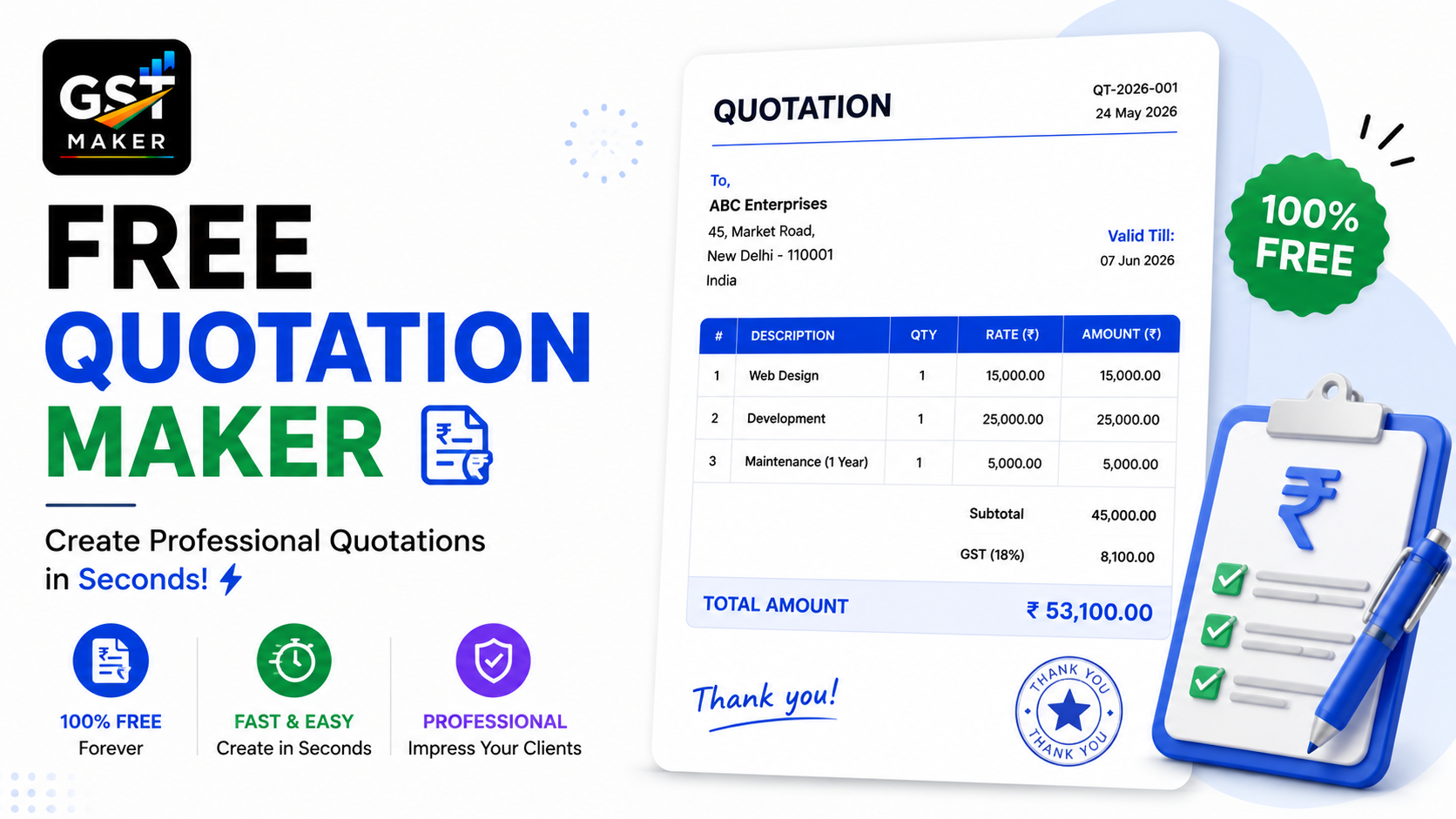
Every sale starts with a conversation, and most conversations land on the same question — "Can you send me a quote?"
That moment carries more weight than most business owners give it credit for. The quote is often the very first formal thing a potential client sees from you, and it quietly shapes how they read your professionalism and pricing clarity, before a single hour of work has started.
A rough WhatsApp message with numbers scribbled in. A plain-text email. A messy Excel attachment. These are the kinds of quotes that get ignored, questioned, or used as leverage in a price negotiation.
A clean, properly formatted quote — logo, itemized pricing, GST breakup, clear terms — tells a completely different story.
GST Maker's free Quotation feature builds that in under 60 seconds, and converts straight to an invoice with one click the moment the client says yes.
What a quotation actually is
A quotation — or estimate — is the formal document you send a potential client before a sale is confirmed. It lays out exactly what you're offering, at what price, with GST included.
Unlike an invoice, it doesn't create any obligation. It's an offer — the client reviews it, maybe negotiates, then accepts or walks away.
But once accepted, it becomes the foundation everything else builds on — the proforma, the tax invoice, and the final payment all trace back to what was agreed in that quote. Getting it right from the start, clearly itemized and properly formatted, sets the tone for the whole relationship.
Quotation vs proforma vs tax invoice
These three get mixed up constantly, so here's the short version:
| Document | Stage | Creates GST liability? | Purpose |
|---|---|---|---|
| Quotation | Before confirmation | No | Share pricing, get approval |
| Proforma Invoice | After confirmation, before delivery | No | Collect advance payment |
| Tax Invoice | After delivery or service completion | Yes | Official billing, GSTR-1 |
The natural progression is quotation → proforma → tax invoice, and each converts into the next with a single click — nothing retyped, nothing reformatted along the way.
How it actually works
Open a new quotation — same form as an invoice, same clean layout.
Pick your client — saved list, or add a fresh contact, details fill themselves.
Add what you're quoting — service, description, quantity, price, GST rate. AI Magic Fill suggests the right HSN/SAC code and works out CGST+SGST or IGST based on where the client is.
Set terms and validity — "valid for 30 days," payment terms, scope inclusions or exclusions, whatever the deal needs spelled out.
Generate and share — a branded PDF is ready in seconds, logo included, sent via WhatsApp link or downloaded directly.
Convert it once they approve — Convert to Proforma or Convert to Tax Invoice, everything carries forward on its own.
A graphic designer in Pune
Sneha does logo design, brand identity, social creatives, and packaging, with projects ranging ₹8,000 to ₹80,000.
Every enquiry used to start with a quote she'd type up in Word — no logo, inconsistent formatting, no mention of GST anywhere. Clients kept coming back asking "is GST included?" or asking for something more official-looking.
Now her quotes come out with items clearly listed, SAC code 998392 auto-filled, an 18% breakup shown clearly (CGST+SGST for Pune clients, IGST for anyone outside Maharashtra), her logo and details properly placed, a 15-day validity window, and payment terms at the bottom — all shared over WhatsApp inside 2 minutes.
Her quote acceptance rate has visibly improved since the switch — clients seem to trust pricing more when it's presented this cleanly.
An interior design firm in Delhi
DesignCraft handles full home and office projects between ₹5 lakh and ₹50 lakh, each starting with a room-wise breakdown of materials, labour, design fees, and project management charges.
Their old approach was a multi-page Excel file — hard to format, easy to break, and basically unreadable on a phone.
Now, rooms get added as separate line items, different GST rates apply correctly across services and materials, the total and net payable sit clearly at the bottom, validity is set at 10 days with project-start conditions noted, and the whole thing gets shared as a PDF on WhatsApp.
Clients can pull it up on their phone, show it to family for a decision, and come back with an answer — the format itself builds a bit of trust before the project's even started.
An IT services company in Bengaluru
TechPulse builds websites, apps, and handles digital transformation consulting, averaging ₹2-15 lakh per project.
Corporate clients won't move forward without a formal quotation — no proper quote meant TechPulse couldn't even enter the procurement process at bigger companies.
Now their quotes break projects into phases — discovery, design, development, testing, deployment — with SAC code 998314 auto-filled, IGST applied for clients outside Karnataka, and proper terms covering payment milestones and delivery timelines.
They're now getting into corporate procurement conversations that were closed to them before, purely on the strength of having a compliant, professional-looking quote.
Why a sharper quote wins more work
Something a lot of freelancers underestimate — a good quote is a sales document, not just a price list.
When a client's comparing two vendors, the one with the clearer quote often wins, even at a slightly higher price. A few reasons why: clarity removes doubt, since a broken-down quote leaves no surprises waiting on the final invoice. Showing GST separately stops it from reading like a hidden markup, which is a common source of pushback. A sharp-looking quote also implies sharp work — first impressions in business happen on paper before they happen in person. And a validity window nudges a client toward deciding rather than letting it sit indefinitely.
What this pairs with
Convert an accepted quotation straight into a proforma invoice when you need to collect an advance, or straight into a tax invoice once the work's delivered — nothing retyped either way.
Client management keeps every contact's GSTIN and address saved, so it's a dropdown selection every time, not a re-entry.
AI Magic Fill handles the GST type and code suggestion the same way it does on every other document type.
And the public share link means the client's opening a clean document on their phone, not downloading a PDF from an email attachment.
Questions people usually ask
Is this feature free? Yes, part of the free plan, no card required.
Does a quote need GST shown on it? Good practice to include it so the client knows the exact final cost upfront — GST Maker shows the correct breakup automatically.
Can I convert a quotation directly into an invoice? Yes, once approved, one click into a proforma or tax invoice, all details carried over.
Can I add terms and conditions? Yes — notes, payment terms, validity, scope, all customizable.
Is a quotation the same thing as a proforma invoice? No — a quotation comes before confirmation as an offer, a proforma comes after, usually to collect an advance. Both are supported and convert into each other cleanly.
Can I add my logo? Yes, saved once in your profile, appears on every quote automatically.
What if the client wants to negotiate? Just edit the quotation directly and share the updated version — the system tracks the change.
Win more work with a better quote
Your quote is often the first real impression your business makes. Worth making it count.
👉 Start creating free quotations at gstmaker.com
No credit card. No complicated setup. Send your first professional quote in 60 seconds.