
AI Article Assistant
Ask questions, summarize, or extract key takeaways from this article.
Client Management Tool Free for Freelancers India — Organise Every Customer With GST
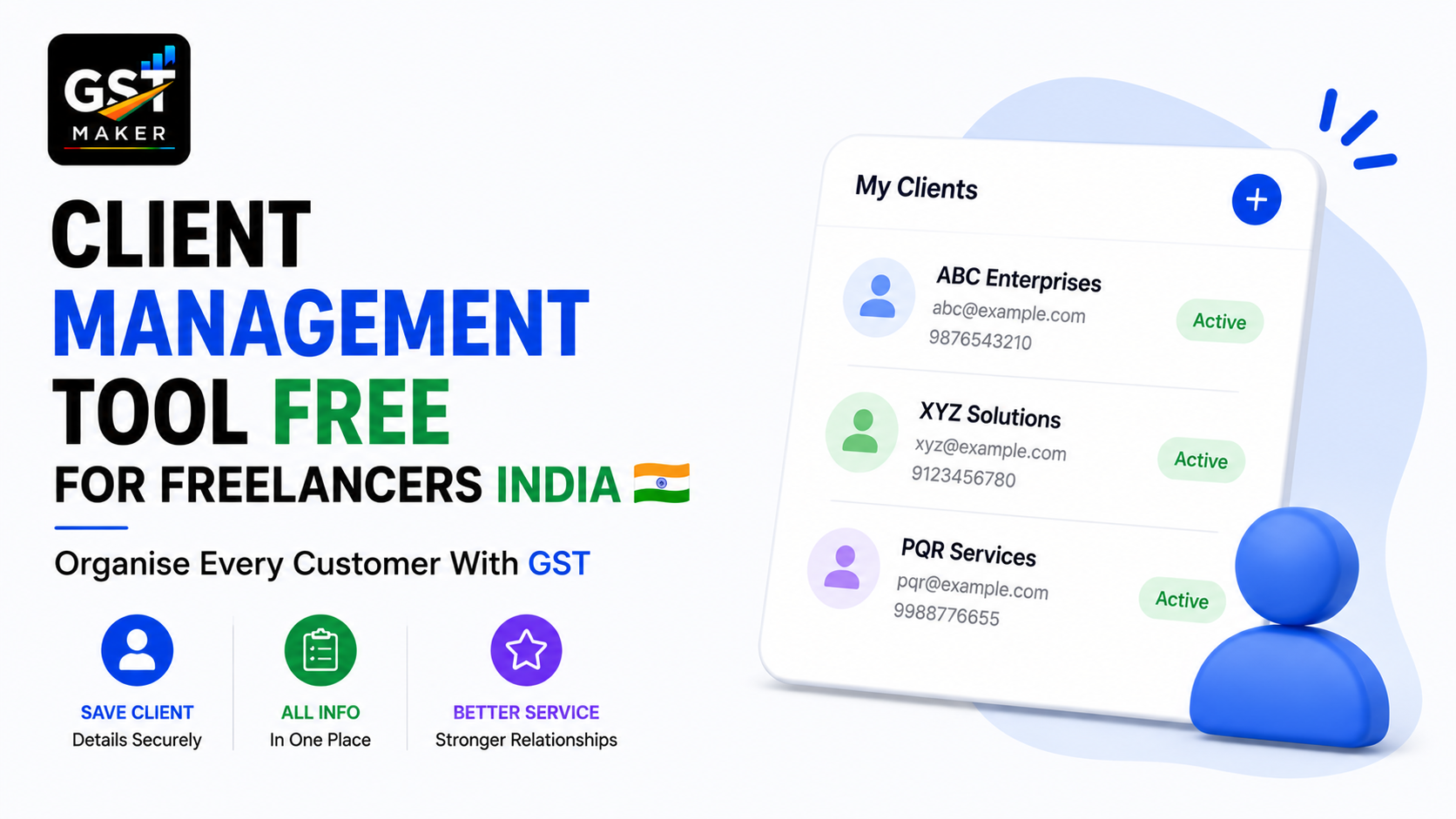
Every freelancer, agency, and small business owner hits a point where keeping clients straight in your head — or scattered across WhatsApp chats and random Excel sheets — just stops working.
Which client's GSTIN was it again? What's their billing address? Did they pay the last invoice? How many invoices have you actually sent them this year? Which ones bring in the most revenue?
If any of these takes more than a few seconds to answer, that's usually the sign you need an actual system.
GST Maker's free Client Management feature keeps every customer's details, invoice history, and billing info in one place — so your next invoice takes seconds, not a search through old chats and files.
Why this matters more than people assume
Most freelancers don't think of client management as a billing problem, but it really is one.
Retyping the same GSTIN, address, and contact details for a returning client every single time is time you're never getting back. Get a GSTIN wrong even once, and it can cause a mismatch in their GSTR-2B, blocking their ITC claim entirely — a saved, verified GSTIN removes that risk completely.
Without organized records, you also can't answer basic questions fast — how much have I billed this client this year, when did I last invoice them. And if a client's contact details are buried in some old chat you can't find anymore, following up on a late payment or pitching new work becomes harder than it should be.
There's also just no way to spot your best relationships without a clear view of billing history per client — which ones actually deserve more of your attention.
How it actually works
Add a client once — business name, GSTIN if registered, billing address, contact person, phone, email. About a minute the first time.
They're saved permanently — next time you bill them, it's a name selected from a dropdown, everything else fills itself.
View their whole invoice history — every quotation, proforma, and tax invoice you've sent them, with dates, amounts, and payment status, all in one place.
Track what's still outstanding — see at a glance which invoices are paid and which aren't, so following up is based on facts, not memory.
Group clients however makes sense to you — by industry, retainer versus project, region, whatever fits your business.
Export a report per client — total billed over any period, useful for spotting which relationships actually drive your revenue.
A freelance copywriter in Bengaluru
Aditi works with 15 active clients — startups, agencies, individual entrepreneurs — and used to have their details scattered across phone contacts, old email threads, and a notes app.
Every invoice meant 5-10 minutes hunting for the right GSTIN and address, sometimes messaging the client directly to ask again because she couldn't find her own past records.
Now all 15 are saved with verified details, invoicing anyone takes seconds — select the name, add the service, done — and she can pull up any client's full history instantly. When one recently asked "how much have I paid you this year?" she had the exact answer in about 10 seconds.
Her billing's faster now, but she's also noticed clients treating her a bit more like an established professional as a result.
A digital agency in Pune
GrowthLane manages 22 client accounts, some on retainer, some project-based. Their account managers used to keep their own separate notes, which meant confusion about who owed what and when invoices last went out.
Now all 22 clients sit in one shared database, every team member sees the same up-to-date information, outstanding payments are visible at a glance, and monthly reviews use the built-in client reports to check billing performance per account.
That one change removed a lot of the back-and-forth that used to come from client info being scattered across different people's personal spreadsheets.
A wholesale trader in Ludhiana
Harpreet supplies over 40 retail shops across Punjab, Haryana, and Delhi, and managing that many B2B relationships without a real system had started slipping — he'd regularly lose track of who actually owed money.
Now all 40+ retailers are saved with full details, outstanding balances are visible clearly by client and by how long they've been owed, and he follows up systematically instead of relying on memory. New staff handling billing can pull up client details on their own too, without needing to ask him directly every time.
His collections improved noticeably once he could actually see who owed what, instead of guessing.
Who this fits
Freelancers keeping every client's GSTIN, address, and history in one place instead of retyping it monthly. Agencies giving the whole team visibility instead of relying on one person's memory. Shop owners and wholesalers tracking dozens or hundreds of B2B relationships without losing track of a single account. Contractors separating project clients from retainer clients with full milestone and payment visibility for each. And consultants who just want to see their full roster and know at a glance which relationships matter most.
What this makes faster elsewhere
Tax invoices, proformas, and quotations all pull client details instantly from the saved list — GSTIN and address never retyped again. Recurring invoices set up for any saved client without re-entering anything. AI Magic Fill uses the saved state on a client's profile to apply the right GST type automatically. And GST reporting stays accurately categorized into B2B and B2C because the underlying GSTINs are correct from the start.
Questions people usually ask
Is this feature free? Yes, unlimited clients, no restrictions, part of the free plan.
Can I see a client's complete invoice history? Yes, every invoice, quotation, and proforma sent to them, with dates, amounts, and payment status.
Does it help track outstanding payments? Yes, payment status is visible per invoice, so following up is straightforward.
Can a whole team access the same client list? Yes, if you're working with others, the client database sits under your account and anyone handling invoicing can use it.
Does saving a GSTIN reduce mistakes? Yes — once verified and saved, it's reused correctly every time, removing the typo risk that causes GSTR-2B mismatches.
Can I export a per-client billing report? Yes, for any time period you choose.
What details can I actually store? Business name, GSTIN, billing address, contact person, phone, email — everything you need per client.
Stop searching. Start billing faster.
The time spent hunting for a client's GSTIN, retyping an address, or trying to remember if they paid the last invoice is time you're not getting back.
👉 Start organizing your clients free at gstmaker.com
No credit card. No complicated setup. Add your first client and create your next invoice in under a minute.