AI Article Assistant
Ask questions, summarize, or extract key takeaways from this article.
Free GST Report Generator India — GSTR-1 Ready Reports With GST Maker
For every GST-registered business in India, month-end brings the same low-grade dread — GSTR-1 is due, and every invoice needs to be organized, accurate, and in the right format before you can actually file.
For anyone tracking invoices manually — Excel, WhatsApp, a drawer of paper — this is where it all falls apart. Hunting for invoice numbers. Recalculating GST totals. Sorting by customer GSTIN. Cross-checking figures that should already match. Easily hours, sometimes a full day.
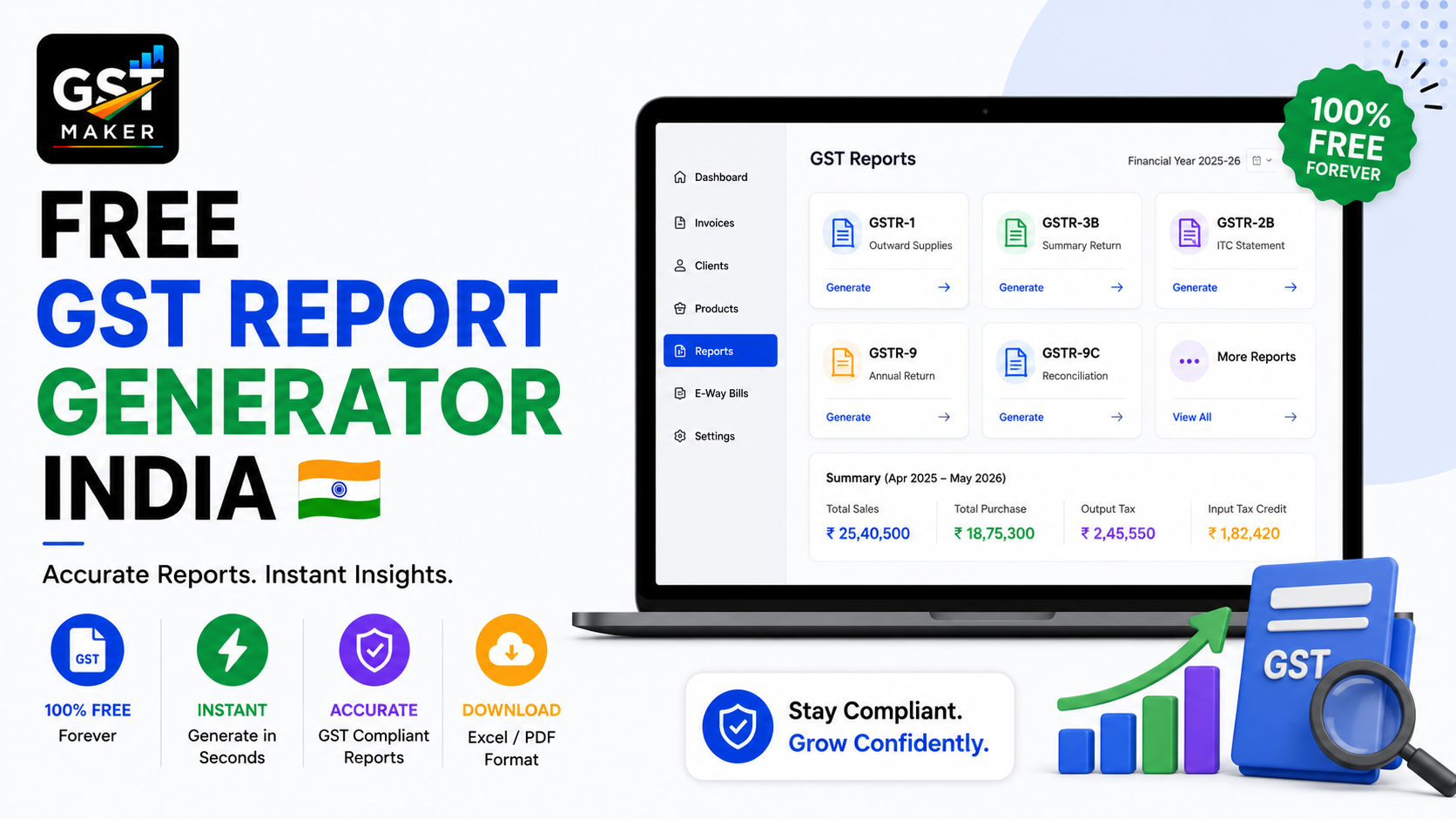
GST Maker's GST Reporting feature removes this entirely. Every invoice you create is automatically organized and categorized, ready to export as a GSTR-1 ready report with one click at month-end.
No manual entry, no spreadsheet juggling, no last-minute scramble.
What GSTR-1 actually is, and why it matters
GSTR-1 is the monthly or quarterly return where you report every outward supply — every invoice raised during the period. It tells the government what you sold, to whom, at what price, and how much GST you charged.
It matters for three reasons. It determines your tax liability, since this data becomes your official record and the government checks your GSTR-3B payment against it. It affects your customers directly, since your uploaded invoices show up in their GSTR-2B, which is how they claim ITC — file late or wrong, and they simply can't claim, which sours the relationship fast. And it becomes a permanent compliance trail, matched against your customers' own records, where mismatches are exactly what triggers a notice.
Getting this right isn't optional — it's a monthly requirement with real consequences either way.
What manual GSTR-1 prep actually looks like
Most businesses without a proper system go through roughly the same painful loop every month — pull invoices together from WhatsApp, email, Excel, and paper copies, sort them by date and whether the customer's B2B or B2C, verify every B2B customer's GSTIN (a wrong one creates a mismatch), separate inter-state from intra-state invoices, total the taxable value and GST for each category, then finally enter all of it into the portal or hand it to a CA who repeats most of this same process.
Depending on volume, that's 3-8 hours a month — 36-96 hours a year, on something that genuinely shouldn't take more than 10 minutes.
GST Maker collapses this into one click.
How it actually works
Every invoice gets tagged the moment you create it — invoice number, date, customer GSTIN, taxable value, CGST/SGST/IGST, invoice type — nothing needs re-entering later.
At month-end, pick the month in your dashboard and hit generate. A clean GSTR-1 ready report comes out, organized exactly the way the portal expects.
B2B and B2C invoices split themselves automatically, based purely on whether a customer GSTIN was attached — Table 4A and Table 7 sorted without you touching anything.
Inter-state and intra-state invoices separate the same way, IGST here, CGST+SGST there, exactly as GSTR-1 requires.
Export invoices for foreign clients get flagged correctly too, showing up as zero-rated exports in the right section.
From there, download it for your CA, or use it directly when logging into the portal yourself. Either way, the actual work is already finished.
A content agency in Mumbai
WordFactory is a 6-person content agency writing blogs, website copy, and email campaigns for 18 clients — a mix of registered companies, individual entrepreneurs, and two export invoices for a US client.
Before switching, their accountant spent a full day every month sorting invoices, verifying GSTINs, separating invoice types, and building the Excel upload file — costing them ₹3,000-5,000 extra a month in fees just for that admin.
Now every client invoice is created through the month with B2B, B2C, and export types sorted automatically, IGST and CGST+SGST already calculated correctly, and a monthly report ready in under 2 minutes. Filing now takes their CA about 30 minutes instead of a full day.
That's ₹3,000-5,000 saved monthly, ₹36,000-60,000 a year — purely from not paying someone to organize data by hand.
A wholesale trader in Kanpur
Vinod raises 40-60 invoices a month to retailers across UP, Delhi, Rajasthan, and Maharashtra.
GSTR-1 used to be a genuine monthly ordeal — 50+ invoices to sort, inter-state versus intra-state to split, GSTINs to double-check — and he was filing late almost every month, paying late fees as a matter of routine.
Now every invoice carries the right GSTIN and state details from the moment it's created, inter-state ones show IGST automatically, intra-state ones show CGST+SGST, and 50+ invoices are report-ready in seconds. He now files on the 10th, ahead of the 11th deadline, every single month.
No more late fees, no more scrambling.
A solo consultant filing her own returns
Meera is a management consultant in Chennai with 8 B2B clients, filing her own returns without a CA.
She used to spend 4-5 hours a month building her GSTR-1 data by hand, always a little anxious that a wrong GSTIN or tax figure would trigger a mismatch notice.
Now her invoices carry correct SAC codes and GSTINs from creation, her monthly report takes 2 minutes to generate, and she files herself on the portal in under 30 minutes — with zero mismatches since switching.
For her, this wasn't just time saved — it gave her the confidence to keep filing herself instead of paying for a CA she didn't strictly need.
What the reports actually cover
Beyond just the GSTR-1 ready export, there's a sales summary showing total revenue, GST collected, and invoice count for whatever period you pick. A customer-wise report shows exactly what you billed each client and how much GST — handy for reconciliation and payment follow-ups. A GST-by-rate summary breaks invoices down across 5%, 12%, 18%, and 28% for businesses selling across multiple categories. And an expense/ITC report puts your purchase GST next to your output GST, so you know your net liability before GSTR-3B even comes up.
What this sits on top of
Every properly created tax invoice feeds straight into these reports on its own. The expense tracker adds your purchase-side GST into the same picture. Client management keeps GSTINs accurate across every invoice and report. And AI Magic Fill ensures the tax type on each invoice is correct in the first place, so the totals in your reports are never built on a wrong number to begin with.
Questions people usually ask
Is this feature free? Yes, part of the free plan, no upgrade needed.
Does it separate B2B and B2C automatically? Yes, based on whether a customer GSTIN is attached, sorted into the right sections without manual work.
Can I use this to file GSTR-1 myself? Yes — invoice numbers, GSTINs, taxable values, and tax amounts are all there, ready to use directly on the portal.
Does it split inter-state and intra-state invoices? Yes, automatically, no manual sorting needed.
Can I generate a report for any time period? Yes, any month, quarter, or custom range.
Does this help with GSTR-3B too? The expense and ITC report shows output and input GST side by side, giving you the net figure you need — actual filing still happens on the portal using that data.
File GSTR-1 in minutes, not hours
This doesn't have to be the most stressful part of your month. Every invoice you create is quietly building your report in the background, so by the time filing day arrives, the work's already done.
👉 Start for free at gstmaker.com
No credit card. No setup fees. Generate your first GSTR-1 ready report today.