AI Article Assistant
Ask questions, summarize, or extract key takeaways from this article.
Free Expense Tracker for Small Business India — Manage Your Business Expenses With GST Maker
Every business has two sides — money coming in, and money going out.
Most small business owners are actually decent at tracking the first one. They know what they billed last month, and who's paid and who hasn't. Expenses are where things get fuzzy fast — what got spent, on what, and how much GST was actually paid on those purchases.
A notebook here, a folder of WhatsApp screenshots of receipts there, a pile of physical bills sitting in a drawer somewhere. Then year-end arrives, and it's a frantic scramble to pull it all together before handing it to the CA.
This is genuinely how most small businesses track expenses. And it costs real money — missed ITC, messy books, and a lot of unnecessary stress that didn't need to happen.
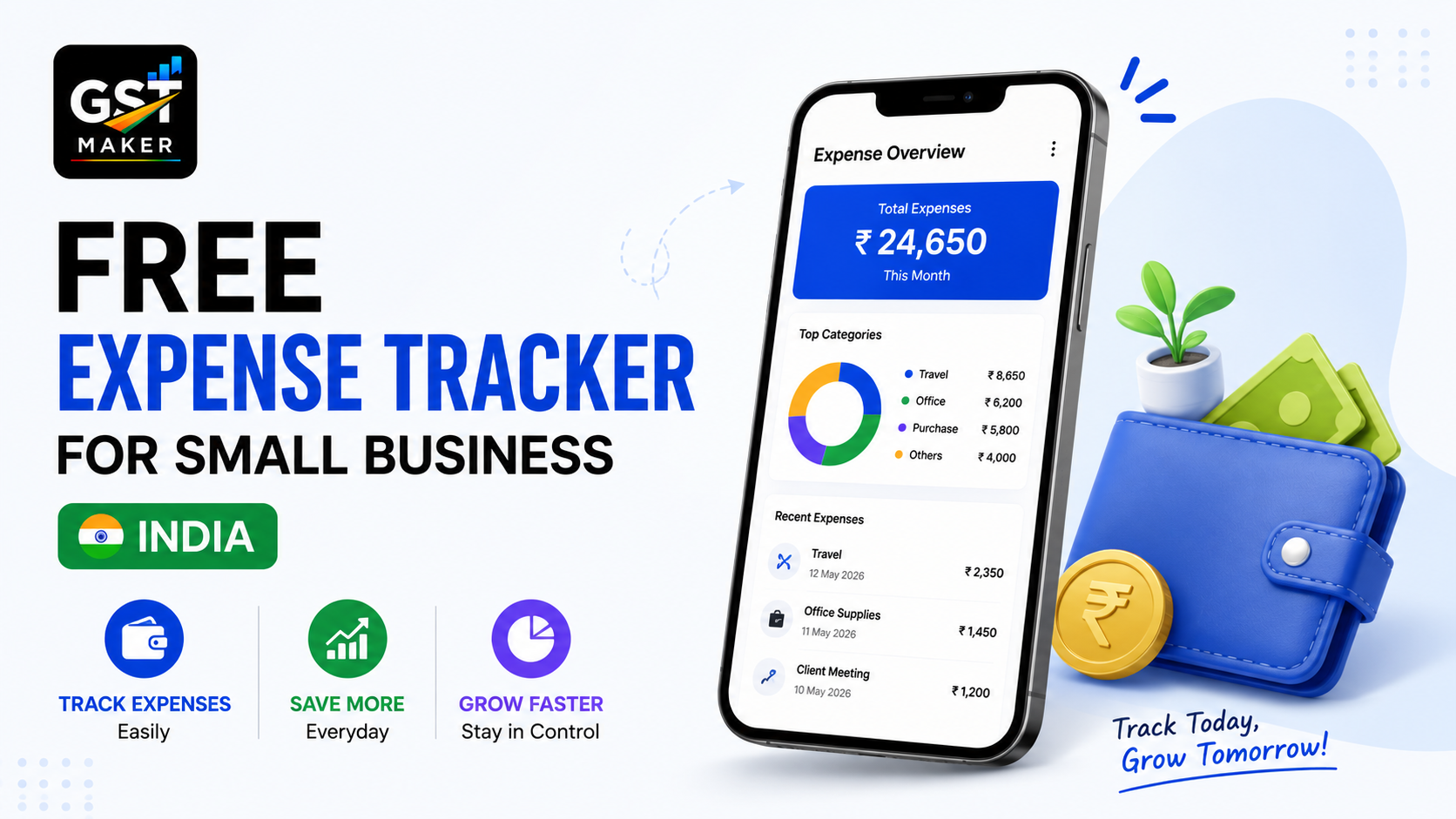
GST Maker's free Expense Tracker fixes this. Every business expense in one place, GST paid on purchases always visible, records ready whenever you actually need them.
Why this actually matters, beyond just being tidy
If you're GST registered, the tax you pay on business purchases can be claimed back against what you collect from clients — but only if you've actually got proper records of what you bought and how much GST was on it. Lose a bill, and you lose that ITC, which is real money left on the table, not a bookkeeping technicality.
It also affects whether you actually know your profit. Revenue minus expenses is profit, and without expense data you're essentially guessing at how well the business is doing.
It matters for your CA too — messy expense records mean more time spent reconstructing things before ITR filing or GST reconciliation, and more of your money going toward that cleanup instead of actual advice.
A lot of expenses are tax-deductible too — software, travel, equipment, professional fees — but only if you can actually prove them when it matters.
And honestly, it helps you make better calls generally. Are you overspending with a particular vendor? Is that software subscription actually worth it? You can't answer either without the numbers in front of you.
What you can actually track
Software and subscriptions — hosting, design tools, project management, accounting software, anything you're paying for monthly.
Equipment and hardware — laptops, phones, cameras, printers, machinery, any physical asset bought for the business.
Office supplies — stationery, printer ink, furniture, cleaning supplies.
Professional fees — your CA, lawyer, consultant, anyone you're paying for expertise.
Advertising and marketing — Google Ads, Meta Ads, printing, branding, events.
Travel and transport — cabs, fuel, train or flight tickets for business trips.
Sub-contractor and freelancer payments for project work you've outsourced.
Rent and utilities — office rent, electricity, internet.
Raw materials and purchases, if you're a trader or manufacturer buying goods for resale or production.
And anything else that doesn't fit neatly into a category — that's fine too, there's room for it.
How it actually works
Open the Expense Tracker in your dashboard — clean, no ledgers, no accounting jargon to wade through.
Add an expense — date, vendor name, category, the base amount before GST, the GST actually paid, a short description, and the invoice or bill reference number.
It gets organized automatically — by date, category, or vendor, so you can filter and actually see where the money's going, not just log it and forget it.
Use it for ITC — at month-end, your total GST paid across purchases is right there. That's your ITC pool, ready to offset against what you owe when filing GSTR-3B.
Export it for your CA — a clean report, ready for ITR filing, GST reconciliation, or financial statements, without them needing to chase you for a single missing bill.
A freelance video editor in Hyderabad
Kiran edits video for YouTube channels, corporate clients, and ad agencies, earning around ₹8-10 lakh a year.
His monthly costs run roughly ₹5,000 on Adobe Creative Cloud (₹900 GST), ₹2,000 on stock footage and music licenses (₹360 GST), ₹999 on internet (₹180 GST), and ₹4,000 on a coworking space (₹720 GST) — around ₹2,160 in GST paid every month.
Before tracking any of this properly, he'd regularly forget to claim ITC on his software subscriptions simply because he couldn't find the bill when filing time came around. Now every expense gets logged as it happens, and that ₹2,160 a month shows up clearly against his GST liability — ₹25,920 a year that he was previously just losing.
A small digital agency in Bengaluru
SparkDigital is a 4-person agency with monthly costs including ₹25,000 office rent (₹4,500 GST), ₹15,000 in Google Ads platform fees (₹2,700 GST), ₹3,000 on design tools like Canva and Figma (₹540 GST), GST on freelancer payments, and ₹3,000 on internet and utilities (₹540 GST) — over ₹8,280 in monthly GST across it all.
Without proper tracking, their bookkeeper used to spend 2-3 days every quarter piecing expenses back together from bank statements and old email receipts. Now that reconciliation takes about 2 hours instead of 2 days, their CA gets clean records every time, and that ₹8,280+ in monthly ITC gets captured properly — nearly ₹1 lakh a year going straight back to their bottom line instead of quietly disappearing.
A hardware shop owner in Ahmedabad
Mahesh buys tools, fasteners, pipes, and electrical fittings from suppliers at a mix of 12% and 18% GST.
He used to just keep every purchase bill in a folder and hand the whole thing to his accountant at year-end — half of them missing, faded, or genuinely unreadable by then, which meant his ITC claims were consistently lower than they should've been.
Now he logs the key details from each supplier bill the moment he gets it. His accountant gets organized monthly records, his ITC claims are actually complete, and tax season has stopped feeling like a small crisis every year.
What this works well alongside
Tax invoices cover income, the Expense Tracker covers the other side — together they give you an actual picture of where your business stands financially, not just a partial one.
GST reporting pulls your expense data into the bigger picture too, so you can see output GST and input GST side by side and know your net liability before you even sit down to file.
Client management lets you save regular vendors the same way you save customers, so entering an expense is just as fast as raising an invoice.
And AI Magic Fill helps categorize and organize expenses with the same intelligence that's already handling your invoicing.
Questions people usually ask
Is this actually free? Yes, part of the free plan — unlimited expenses, GST tracking, and exportable reports at no cost.
Can I use it for ITC claims? Yes — log the GST paid on each expense, and your total available ITC each month is right there when you file GSTR-3B.
Do I need to be GST registered to use it? No, even unregistered businesses can track spending and keep clean records for ITR filing and general decision-making.
Can I export records for my CA? Yes, as a clean report ready to hand off directly.
What kinds of expenses can I actually log? Pretty much anything — software, rent, utilities, equipment, raw materials, professional fees, advertising, travel, freelancer payments.
Is there a cap on how many I can record? No, log as many as your business actually generates, all within the free plan.
Stop losing money to missed ITC
Every expense that never gets recorded is ITC you're not claiming. Every missing receipt is a deduction you can't prove. Every disorganized expense pile is hours you and your CA both lose that didn't need to be lost.
This gives you a clean, simple system to log every business expense as it happens — so your books stay accurate, your ITC stays captured, and your CA stops having to chase you for receipts.
👉 Start tracking expenses free at gstmaker.com
No credit card. No complicated setup. Log your first business expense today.